do you need to make a calendar with an easy way ?, just go to this adress http://www.printwithmypic.com/calendars/ you can design your own calendar base on what you need. you can also put you picture there....
and this is example :
Tuesday, June 9, 2015
Sunday, June 7, 2015
How To Make A Jeopardy Quiz
1st step. type the adress www.superteachertools.net/jeopardyx/ and then click make a new game.
2nd step, fill all of the boxes with the information that needed. and then choose the version do you want. after that click creat this game !
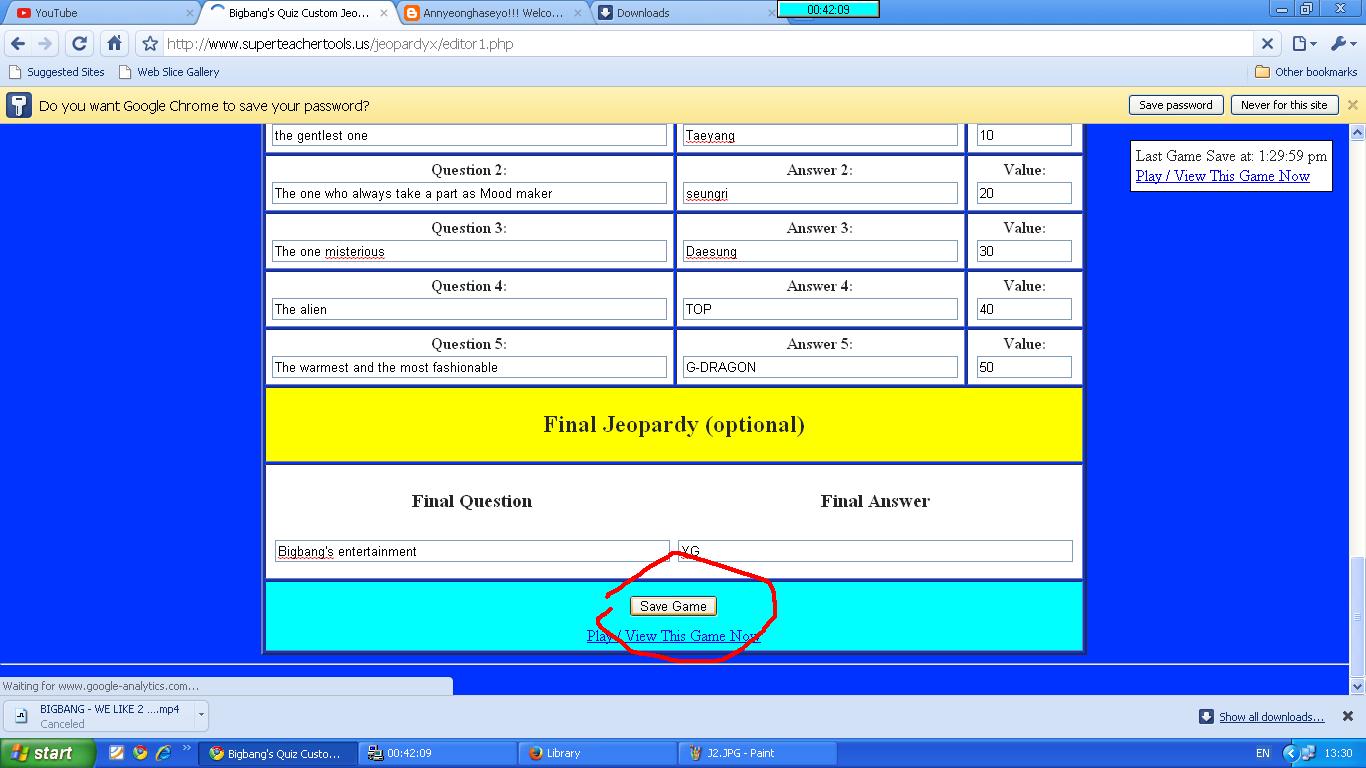
fill all of the question and answer column. after that click save game.
and this is the result. you can play it now !
Saturday, June 6, 2015
How To Make A Speed Match Quiz
1st step. type the adress www.superteachertools.net/speedmatch/. then click 'make a new game.
2nd step. fill the information in the boxes. after you're done click create the game.
3rd step. fill all of the column with a question and the answer. after that click save game.
and here is the result !
Sunday, May 10, 2015
MANY KIND OF ONLINE QUIZES I'VE JUST MADE
Here is some of quizes link :
online quiz creator :
quiz
assessment
|
|
exam
|
exam time :
Question
MIND MAP
FLASH
|
Saturday, April 25, 2015
How To Make A Dominoes Game
Hello.... meet with me again !. this moment i want to show you how to make a dominoes game. it is just like a usual dominoes, it has 2 side. there are two kinds of dominoes game, the first one is with text only and the other is text with an image in one side. check this out !
A. Dominoes games with text only.
1. first you have to type the address : www.toolsforeducators.com/dominoes/
2.
After that you will see this kind of page, there are 3 boxes, the first box is used for the dots style you can choose anything you want. the second box enter any word, and describe the word in the 3rd box.
5.
B. Dominoes With An Image In One side
2.
3.
4.
A. Dominoes games with text only.
1. first you have to type the address : www.toolsforeducators.com/dominoes/
2.
you will see this kind of opstion, please choose the text domino maker. click on the blue text.
3.
After that you will see this kind of page, there are 3 boxes, the first box is used for the dots style you can choose anything you want. the second box enter any word, and describe the word in the 3rd box.
4.
if you already fill all of the boxes, click on "make it"
and this is the result !
now ! i will show you how to make dominoes game with an image on one side !
1.
back to this page, and choose a topic you want to make your dominoes with an image.
you will see this kind of page, there are two boxes. you can choose an image in the first box, and describe the image in the second box.
if you're already fill all the boxes click on make it.
and here is the result !
now you're already know how to make it, hope this post will be usefull for you~
LISTENING PRACTICE !
In here i want to show you how to make a listening practice.
firstly please enter the adress : www.toolsforeducators.com.
click on the cirled link.
choose any topics you want. click on the image. but before that you have to download the audio.
now you can do your worksheet.there are many kinds of this practice so i will only show you the result.
click on the topic which is same with the audio that you've downloaded it before.
fill out all of the boxes, when you're done click make it !
that's the result of the two pictures
this is the result of the three pictures
this is the result of the match.
this is the result of the match and writing.
and the last, this is the result of the writing!
How To Make Writing Practice
Hello ! this time, my posting will be about writing practice. as a teacher we have to make our student feel exciting when they are studying. this post will help you to teach your students in writing.
go to this adress : www.toolsforeducators.com/writing/ and you will see this kind of page. before you go further you have to download and instal the font first !. click on "this font".
2nd STEP
you will automaticly go to this page, click on the link which in the red cirlcle above. save the file.
3rd STEP
Open the file which you already download it, extract the file to somewhere in your computer. open the open type folder copy all of the file, and then you have to paste it in the font. it is placed in the local disk c in your computer, click microsoft and open the font folder, and then you can paste it there.
4th STEP
now you can choose any images in each boxes, and you have to fill the text boxes with something related to the image that you have already choose. after that you have to click make it.
5th STEP
and this is the result !
HAVE A NICE TRY GUYS !!
Subscribe to:
Posts (Atom)